Time clock, rosters and timesheets for New Zealand teams
5c an hour worked.
Capped at $5 a person a month + GST. Free for up to 5 staff.
Staff clock in on a tablet by the door or on their own phone. Foreman adds up the hours, keeps the roster, and has the timesheets ready when it’s time to pay.
No card needed. You count toward the 5 only if you clock in yourself.
Most teams track hours one of three ways. Each costs you something.
Paper, whiteboards and spreadsheets
Someone collects the timesheets, adds them up and types every line into payroll. Late finishes and missed breaks get lost on the way.
The payroll app’s own timesheets
Xero Me, PayHero, Smartly, MYOB
Built around the pay run. They don’t show who’s at the door this morning, who’s late, or who’s on a break.
Rostering apps priced per seat
Deputy, Employment Hero, Tanda, Loaded
A monthly fee for every person on the list, whether they work 40 hours a week or 4.
Foreman is one app for the door, the roster and the timesheets, and you pay only for hours people work.
At the door
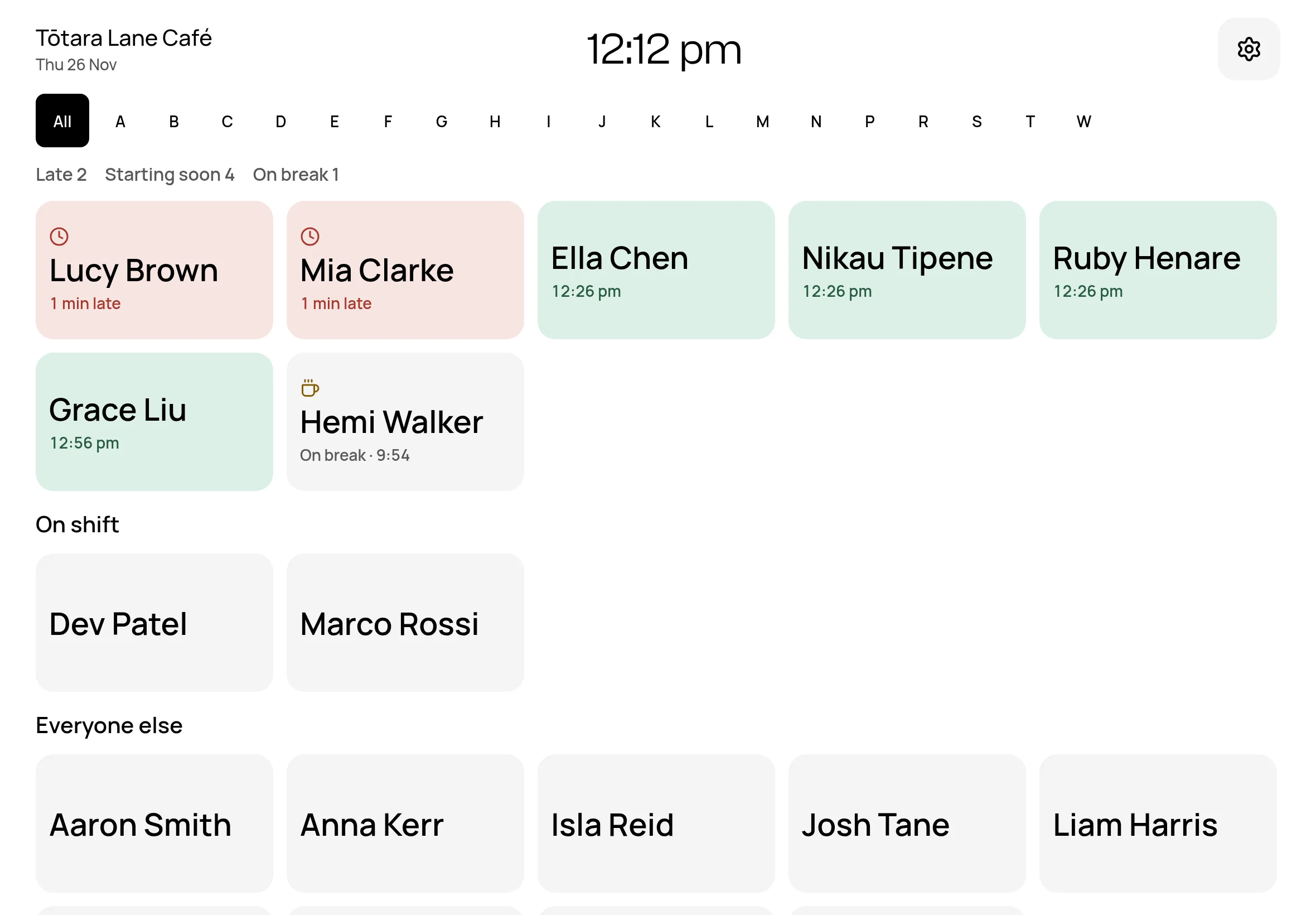
Clock in on a tablet, with a PIN
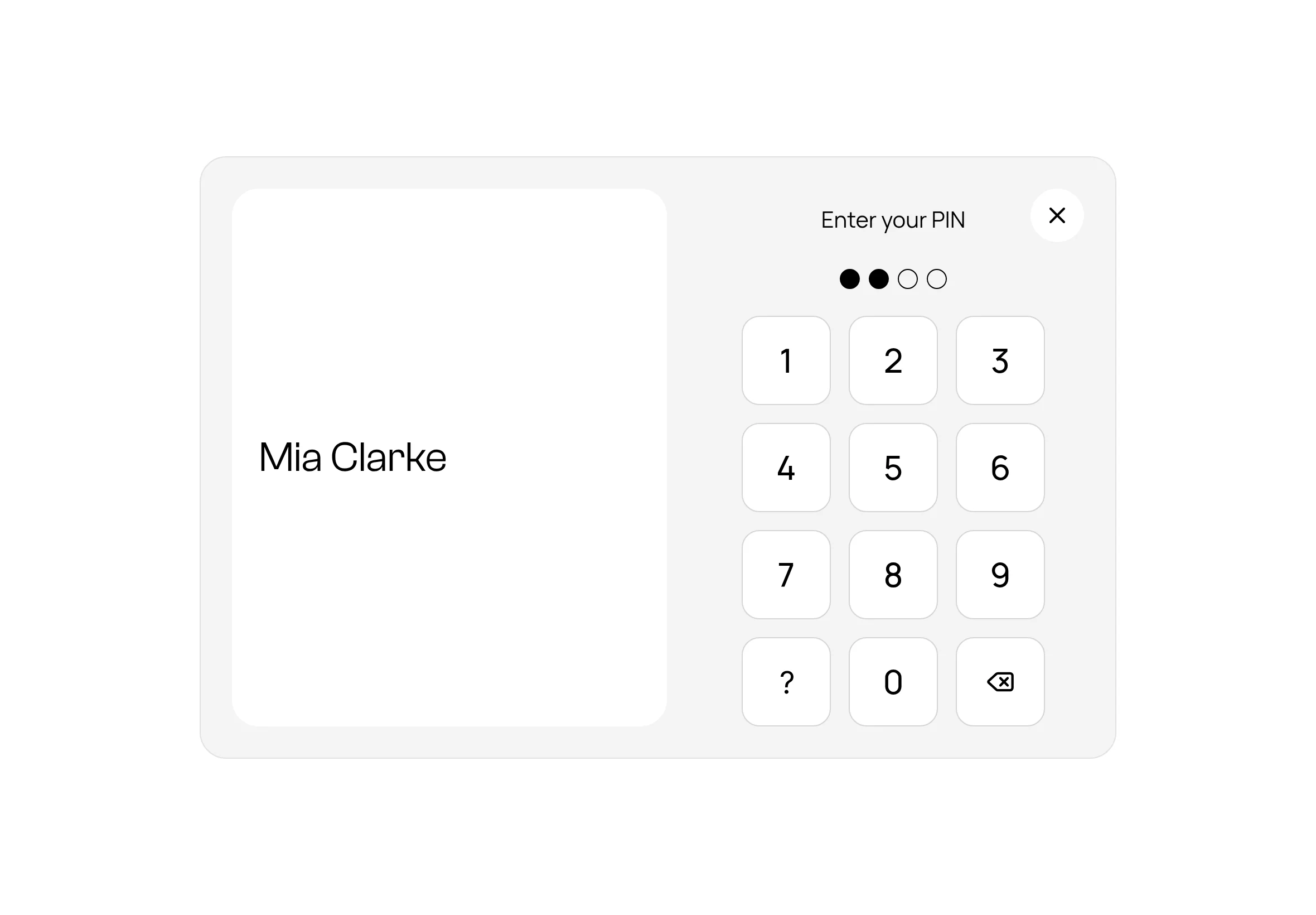
Pair a tablet (an iPad or an Android tablet) with a code, and staff clock in on it with their own PIN.
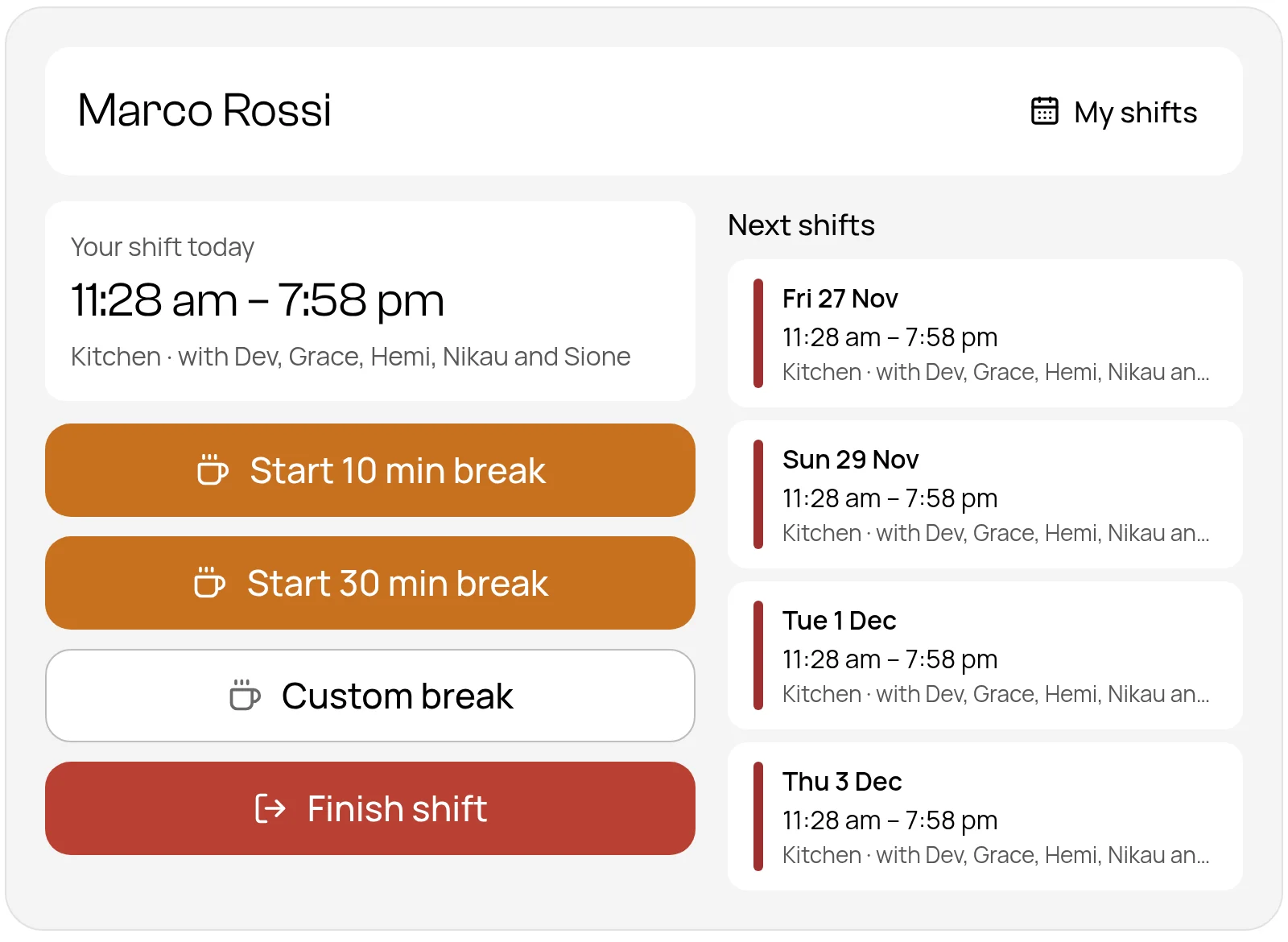
The people due in come first, so you can see at a glance who’s late, who starts soon and who’s on a break. After their PIN, staff see today’s shift and the next ones, and start a break or finish with one tap.
On their phone
Or on their own phone
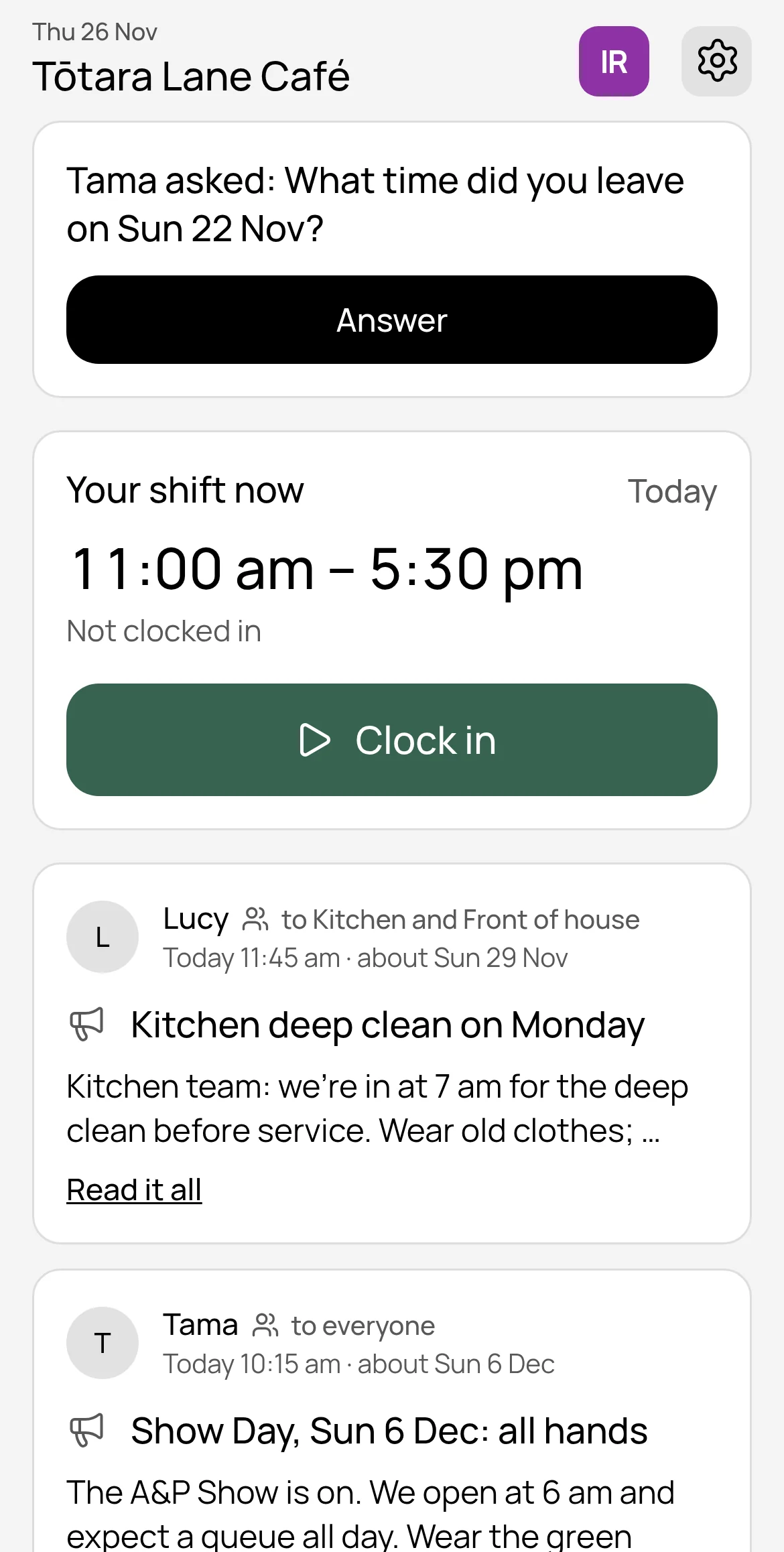
Staff see their next shift, clock in and out, and take their breaks from the Foreman app.
When an hour looks wrong, ask them from the dashboard and they answer in the app. Announcements reach the whole team, or just the kitchen.
For you
Rosters and timesheets in one place
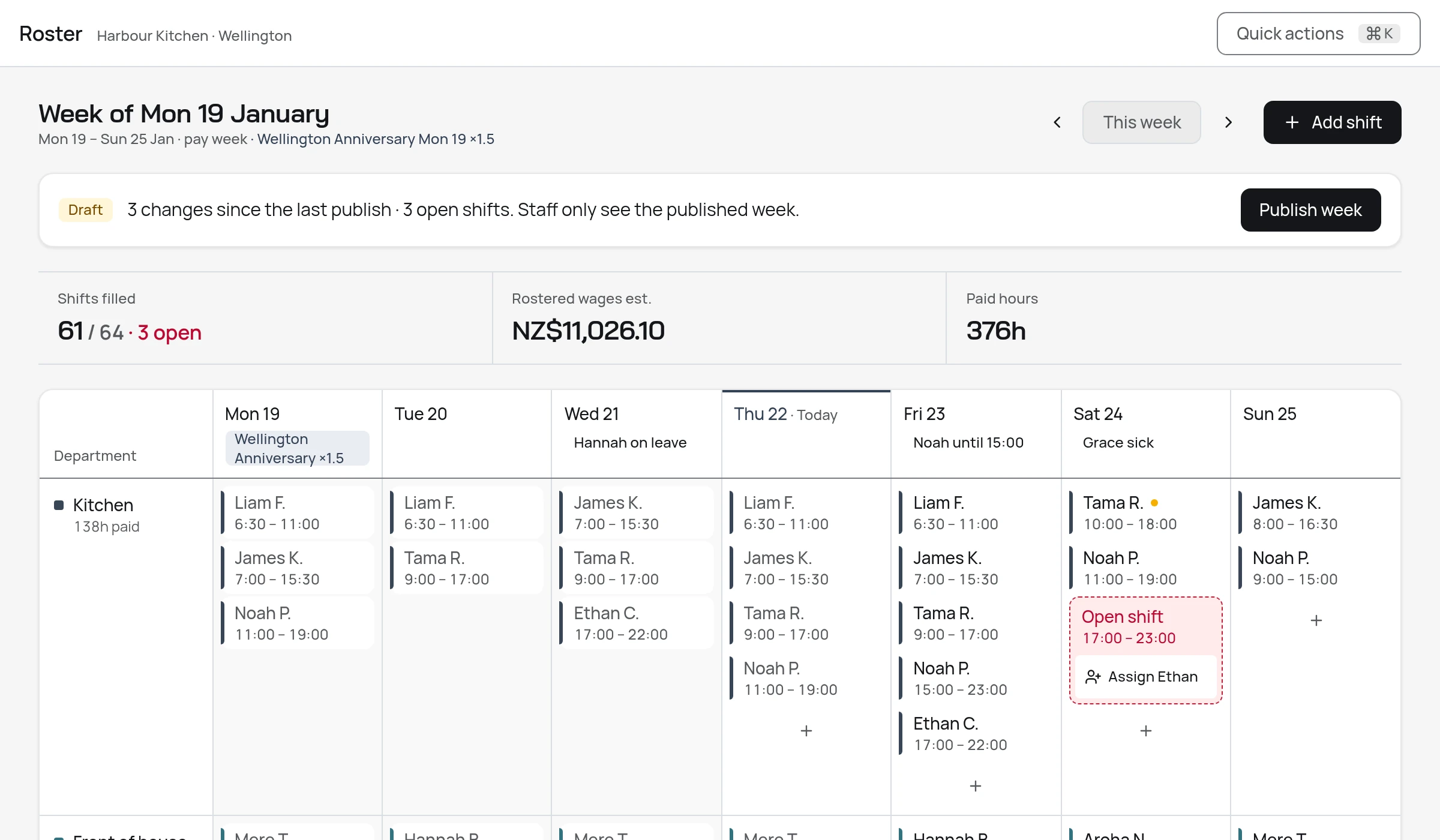
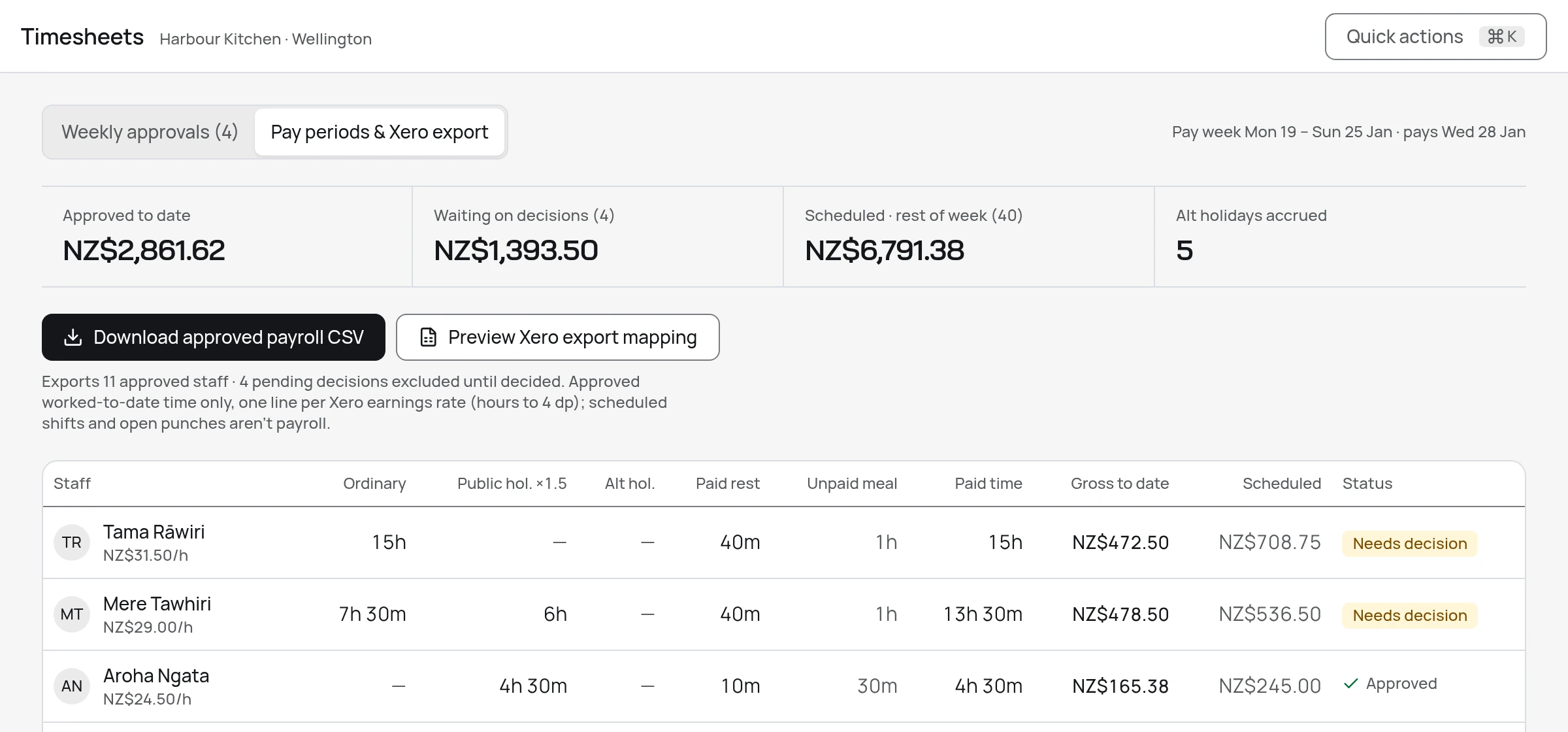
Build the week, publish it, and staff see their shifts. Hours from the door and the phone land on each timesheet, ready to approve.
Free exports approved hours as a CSV. Pro sends them to Xero, iPayroll or Smartly.
5c an hour worked.
Foreman charges 5c for each hour a person works, up to $5 a person a month, plus GST.
- A casual on 10 hours that month50c
- Someone who works no hours$0
- 100 hours or more$5, never more
- Teams of up to 5 staffFree
Run next week’s roster in Foreman.
Switching? Import from Deputy, or bring in your roster from Excel or CSV.
Get in touch
Chat to our team today to learn more